Shopping Carts Get Another Boost
Customized Shopping Cart Questions Added Have you ever needed more information from your customers for their order, but the questions just don’t seem appropriate for an order form? With our new custom shopping cart questions, you can request that information from your customers much more naturally through the shopping cart. Want to know how your customer heard about you? Use a custom shopping cart question. Need to collect special information for your corporate accounts? Use a custom shopping cart question. Want to conduct an informal customer service poll? Use a custom shopping cart question. To get started, go to your Control Center and look for Shopping Cart Questions in Accounts > Account Settings. Or if you need instructions, check our our Knowledgebase article, Custom Shopping Cart Questions. Note: You must have the new shopping cart activated to use this feature (My Website > E-Commerce Settings > Updated Shopping Cart).
Upcoming Anti-Spam Measures Lead To Big Changes
The Rule Of The Day: Explicit Opt-in The Canadians are implementing a strong anti-spam law beginning July 1, 2014. In preparation, we’ve made some adjustments to the way Printer@Work subscriptions are handled. Though it is a Canadian law, we’ve chosen to make these changes for all of our websites, because they represent best practices when it comes to building a subscriber list that won’t get your content flagged as spam. The changes we’re making have two goals in mind: Ensure that every subscriber to the Printer@Work wants to subscribe to Printer@Work Staunchly protect our customers from any allegations that say otherwise We are implementing the following changes as they are developed. Some you may already have noticed on your own site: Remove uploadable subscriber lists Remove pre-selection of the “I want to subscribe to Printer@Work” checkbox Allow printshops to unsubscribe users, but not subscribe them Remove requirement for user to confirm their email address when unsubscribing Moving On To Plan “B” We know these may not be popular changes, because they tend to make it more difficult for you to add subscribers to your newsletter. Meanwhile, your customers are still able to subscribe to it themselves as they always have.
Your Workflow Just Got A LOT Easier
This week, we made a subtle but important update to your Control Center’s Workflow section. Actually, two updates: Faster loading time Users with many thousands of orders in their history were noticing extremely long load times when first going to the Workflow screen. On investigating, we found that including the completed orders in the list was a major factor. Since the Workflow screen is largely for finding open orders that have work that needs to be done, we chose to remove completed orders from the initial load. Of course, you can still look at completed orders when you need to. To do that, just click “Completed Items” in the top of the Workflow page’s sidebar. Filter preference memory We also made a rather subtle change that we hope will also boost your Workflow productivity: the system now remembers your last filter settings. By loading the Workflow screen with the same filter settings you had applied last time, you now get to “pick up where you left off.” Note, this new update does not memorize custom searches using the Dates, Keywords or People tools, though. This is actually a convenience feature — since those searches usually represent special cases, and not
A Message From a Concerned Tree

Have you ever wondered what it’s like to be a tree? Well, let me tell you because I am a tree. Most people have a one-sided perspective of trees, such as trees being nothing more than cozy homes for birds, squirrels, and other cute (but annoying to trees) animals. Or trees as the subject of famous poems. Lately, people have been building elaborate homes in trees because they want to live off the ground and away from dirty, noisy cities. Some civilizations even worship us trees and attribute magical properties to us. People love me! But, speaking confidentially, as tree to human, I am not the calm, enduring tree you think I am. In fact, I worry about a lot of things, especially about what happens to me when I die. I like to think that when the time comes for me to go, it is for a good cause. You see, trees understand that humans need wood for survival and economic purposes. But please, don’t cut me down just to be left to die a meaningless death in the forest. Rumor has it that some businesses are wanting to build strip malls and parking lots (just what humans need more
Behind the Scenes: Your New Shopping Cart
http://youtu.be/SEEOPFe8xsg Your all new shopping cart is coming soon! Check out this webinar to see the new shopping cart upgrades that will help make the online shopping experience even more easy. We’ve recorded it for you to view at your convenience. 1:49 — Unveiling of the New Shopping Cart 3:58 — Step 1: Review Order 4:39 — Step 2: Shipping Method 6:22 — Step 3: Address 7:13 — Step 4: Payment Options 8:22 — Step 5: Additional Information 8:58 — Complete Your Order Button 9:53 — Connecting the Dots: The 4th Big Dot 12:05 — The When and How 13:26 — How to Turn It On Yourself 14:03 — How to Contact Us if You Have Questions
Bigger Vehicles, Bigger Email
My family loves camping. We started camping nine years ago, back when our kids were two, four, and six years old. We drove a GMC Yukon, hooked the camper up to the hitch, shoved the kids in the back seat, and hit the road. Traveling was a blast! We’re getting ready for this year’s camping season and it’s pretty much the same formula, but with one important change. My family informed me that in order for us to have a successful (and by successful they mean “happy!”) camping season, we would need a tow vehicle with three rows of seating instead of two. You see, nine years later the kids were getting bigger, but the Yukon wasn’t. So a few weeks ago, with a certain amount of sentimentality, the Yukon left our family, and our driveway welcomed a new-to-us Chevy Suburban with three rows of seating. Let the camping season begin! Email is like that too. “The kids were getting bigger but the Yukon wasn’t,” is replaced by “The files are getting bigger, but the email capacity isn’t.” That’s changing, as of June 1, 2014! You’re about to get more email capacity, and unlike my purchase of the Suburban, this upgrade is pretty tame on
The Cost of Progress
On April 1st, we made some updates to the website’s notification system that sends email updates of website activity to you and your customers. (An example of such an email is the “Order Placed” email received when a customer places an order.) The updates were created to allow the system to function better with our growing portfolio of fully custom websites. Unfortunately, those changes also broke the functionality for all notification recipients except for the designated Customer Rep for printshops, companies, branches and individual contacts. If you’re waiting for the obligatory “April Fool’s”, we’re sorry to say it’s no joke. This file was in place for approximately 26 hours, beginning April 1st at about 8:30 AM CST. The good news is that your customers were unaffected by this error, and the system also delivered all notifications to the customer reps assigned to any printshop, company, branch or individual contact. However, any additional users (other than the customer rep, that is) assigned to the notifications lists in the Control Center did not get their notifications. The error was repaired April 2nd at approximately 10:00 AM CST. Now the notifications system works for our standard Level 2 and Level 3 sites as
Expanded Reorder Capabilities
Here’s some good news for our current Level 1 website customers looking to upgrade, as well as those who’ve upgraded from a Level 1 site in the past: All Orders Can Now Be Reordered On Level 2 and Level 3 websites, customers have always been able to place reorders for their document library items. However, orders placed using the Place an Order, Request Estimate, Send File and JobReady order forms on your Level 1 website could not be reordered because they were incompatible with the new system. But thanks to some updates to our system, it is now possible to allow your customers to reorder any orders that were placed on your Level 1 site, no matter what order form they used. This is just one more way to make it fun and easy for your customers to buy printing from you. By Request This process requires some heavy lifting, so it’s not automatically part of your upgrade. But if you’d like us to open up all of your previous orders for reordering, just let us know. There is no cost for doing so. Already upgraded your website? That’s not a problem. We can still convert your order history to
DesignEdit Maintenance March 15th
Scheduled Maintenance We’ve received word from our technology partner that the DesignEdit servers will be getting an operating system update. Therefore, the DesignEdit tool will be temporarily unavailable March 15th, beginning at 6 AM GMT (that’s 1 AM Eastern, Midnight Central, 11 PM Mountain, 10 PM Pacific). The technicians anticipate the updates will take around 4 hours. Thank You For Your Patience We know it can be an inconvenience to have software unavailable for any length of time, and would like to thank you in advance for your patience.
Canadian Sales Tax Database Added
This is a special announcement for our Canadian customers: we’ve now added Canadian sales taxes to the Level 3 Website’s ecommerce suite! This update to the sales tax calculator is a major piece of the ecommerce puzzle for our Canadian customers, adding another tool to help make it easy for their customers to buy printing. This feature operates the same way as it does for sales taxes in the United States. All you need to do is go to the taxes section in your Control Center and click the Province that you are to charge sales taxes for, and the calculator will do the rest! For more information, please see the “Setting the Tax Rate section” of our Knowledgebase article, 08 – Pricing.
The MI4P Process
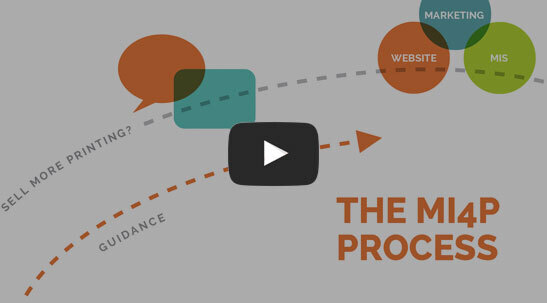
This two-minute video will show you how we take you through Our Proven Process. No surprises; no bumps in the road!
It's worked for hundreds of printers just like you; it will work for you, too! Download the MI4P Proven Process PDF below, and follow along.
PDF: The MI4P ProcessSay Hello
"*" indicates required fields
Who We Are
What We Do
Marketing Ideas For Printers
5990 14th Street South
Fargo, ND 58104
(701) 241-9204 (800) 736-0688
© 2026 Marketing Ideas For Printers
Our Privacy Policy | Terms of Service