Why Your Biggest Customer Might Not Be Your Best One

Sooner or later, every print shop sorts its customers. It doesn’t happen formally, and usually not on paper. It happens in the schedule, in who gets called back first, in which job the shop will work a weekend for. Almost everywhere, the sorting runs on one number, which is how much the customer bills. That number is easy to get. Every system reports it. It’s on the year-end summary and it’s in the owner’s head. It’s also the one number that can’t answer the question the owner is actually asking, which is whether the account is worth what the shop gives up for it. Why Sorting Customers by Sales Hides the Answer The advice every owner has heard is to take care of the top twenty percent. What that advice never says is to subtract. Nobody’s version of it asks what the biggest account costs to keep. The account most likely to be quietly unprofitable is the one sitting at the top of the revenue list, because size is exactly what buys the accommodations nobody charges for. Somebody works the weekend, the rush shipping gets absorbed rather than billed, and three other jobs move to make room. None of that
A Print Shop Newsletter Plan That Actually Gets Sent

Your email list isn’t working as hard as it should, and you can probably name the reason without checking. The newsletter only happens when work slows down. Somebody writes it from scratch at 9 p.m. the night before it sends, between a quote that was due yesterday and tomorrow’s press check, and then the shop gets busy again and the list goes back to waiting. Every commercial printer has contributed at least one issue to the night-before newsletter genre. The list itself is usually full of people who already buy printing, which makes the silence expensive: marketing stops exactly when the shop is busiest, and the future pipeline stops getting built right when it should be. Why More Newsletter Ideas Won’t Fix Your Email List The first instinct is to treat this as a content problem and ask AI for newsletter ideas. That works, as far as it goes. Any AI tool will hand you 20 usable topics in under a minute, and ideas were never really the bottleneck. What stalls a print shop newsletter is everything around the ideas. Nobody decided how often it goes out. Nobody owns the send. No issue has a job to do, so every
Why Print Shop Social Media Goes Dead (And How to Actually Fix It)
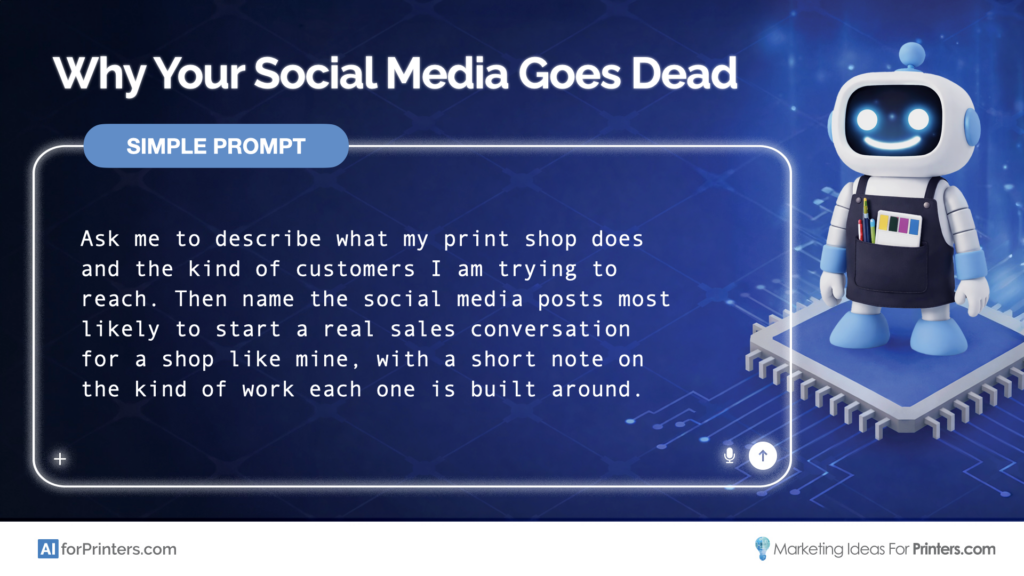
Sooner or later, every print shop owner has the same social media story. The shop’s page sits there with three months of nothing on it. The owner knows it. He has tried to fix it before. He hired a freelancer who posted generic content. He asked a CSR to “do social” on top of orders, proofs, and customer calls. Both attempts were dead within a quarter. He opens LinkedIn out of habit, sees a competitor’s post about a community sponsorship, and closes the tab before the bad feeling fully arrives. If that story sounds familiar, here is the good news: getting started is not your problem. You have already proven you can post for a few weeks. What you have not proven is that your shop can keep posting while jobs are on press, estimates are due, and deliveries are going out the door, with content that does not look like generic social media. Why AI Captions Won’t Fix a Dead Feed The temptation here is to treat this as an AI problem and reach for the kind of generic AI advice you see everywhere. Ask AI to write you social media captions. Ask AI to generate a few content
Why Print Shop Quotes Go Cold (And What Most Owners Get Wrong About Fixing It)
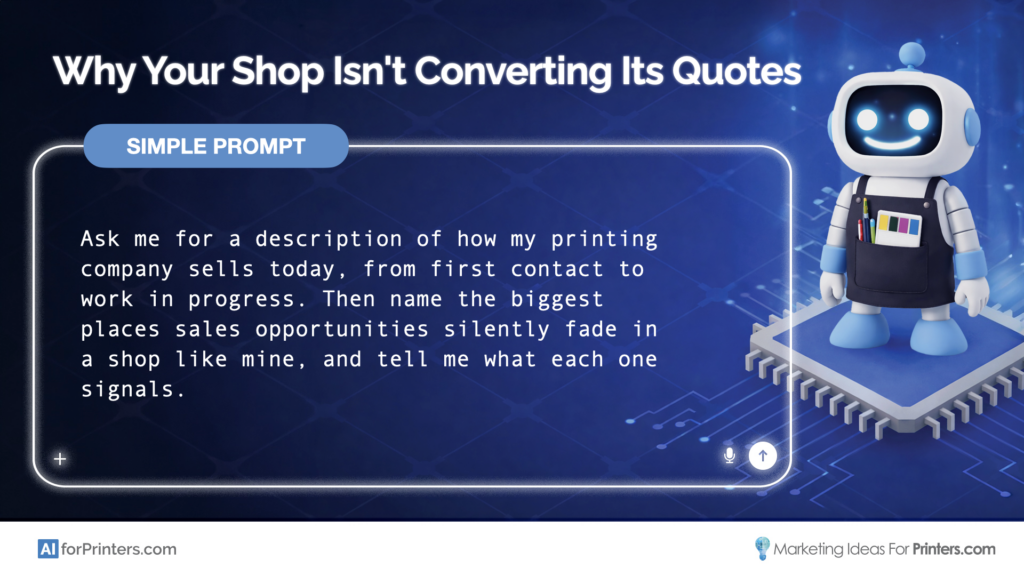
Every print shop owner I know has the same Tuesday morning experience eventually. The quote list is sitting there. Some of the estimates are recent and active. Some are clearly dead. And a stubborn handful are neither. The customer never said no. They just stopped responding three weeks ago, and now there is no graceful way to know whether to chase the work or let it go. You look at the list and feel the weight of it. Each one of those quotes represents real work, real revenue, and real time the team spent estimating. Some of them are recoverable. You just cannot tell which ones. The list does not come with labels. An AI Chat vs. an AI Workflow The temptation here is to treat this as an AI problem and reach for the kind of generic AI advice you see everywhere. Ask AI to write better follow-up emails. Use AI to remind you when quotes are aging. Have AI rewrite your estimate cover page so it sounds more compelling. That is unstructured AI use. It produces a stack of helpful-looking outputs that don’t actually fit your shop, your customers, or how your team works. The follow-up email AI
Your Customers Would Vouch for You. Your Sales Team Has No Way to Prove It.
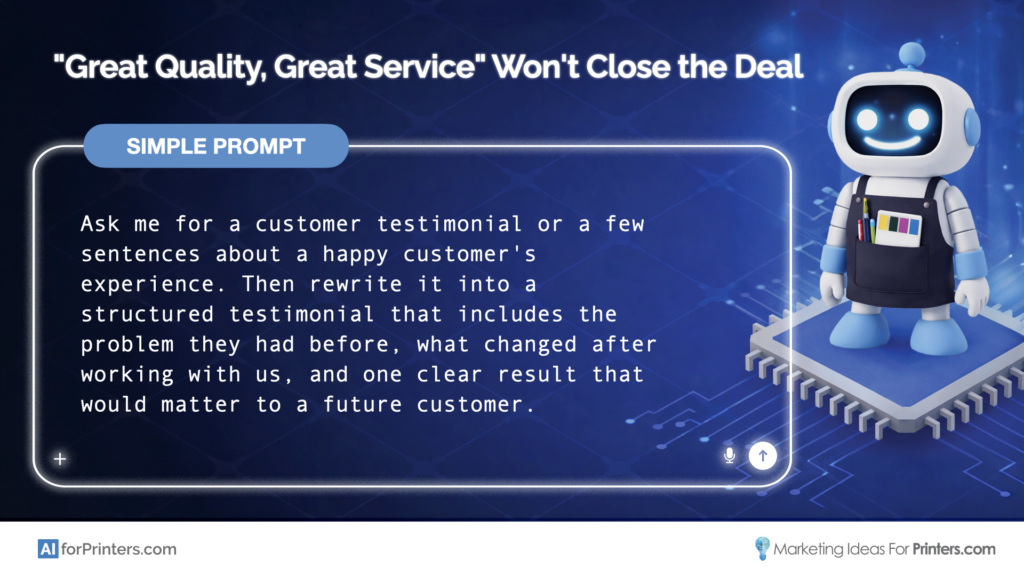
You know the moment. Your sales rep is in a follow-up email with a prospect who’s comparing three printers. The prospect asks, “Why should we switch to you?” Your rep types “great quality, great service,” stares at it for a minute, and hits send anyway because there’s nothing better to grab. It’s not that the proof doesn’t exist. You have customers who’ve been with you for years, who send referrals without being asked, who tell your CSRs “we love working with you guys.” The proof is everywhere. It’s just not in a form anyone on your team can reach for when it actually matters. When AI Makes It Worse Before It Makes It Better Most printers who try using AI for testimonials start the same way. They paste in something a customer said and ask AI to “make it sound better.” And AI delivers something that sounds polished, professional, and completely useless in a sales conversation. “We are extremely satisfied with the exceptional print quality and outstanding customer service provided by this establishment.” Nobody said that. Nobody would say that. And no prospect would believe it. That’s what unstructured AI use looks like: the output is technically fine, but it
Why Your Print Shop’s Cold Outreach Sounds Like Everyone Else’s
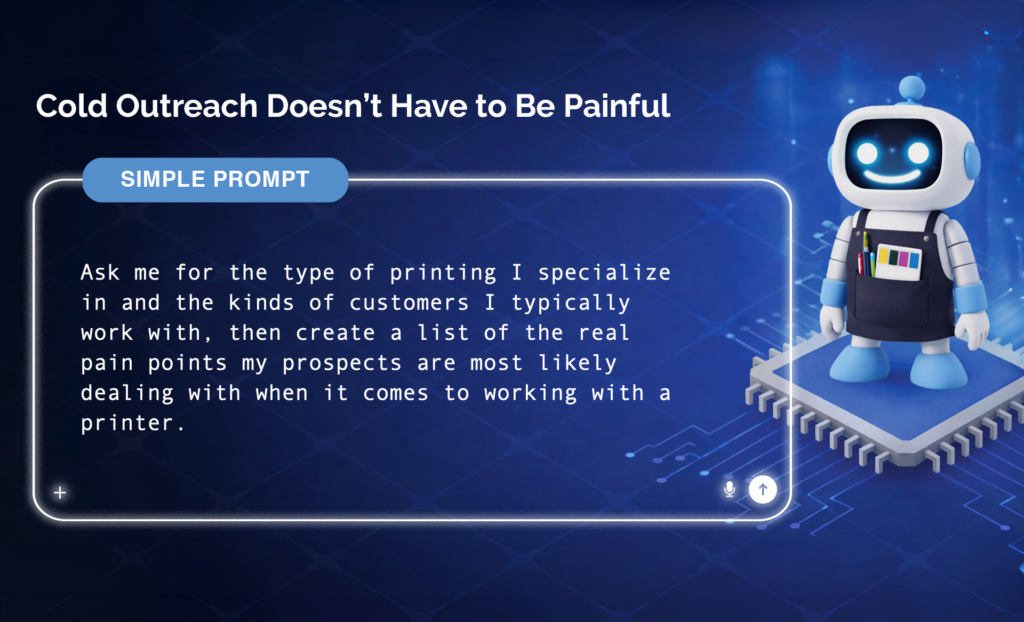
You already know how to sell printing. Your customers stick around, referrals come in, and when someone needs what your shop does well, you close the work. That part has never been the problem. The problem is the other list: the 30 or 40 prospects who don’t know you yet. You’ve probably pulled that list together at some point: marketing directors, event coordinators, business owners who are spending money on print, just not at your shop yet. And that list is probably sitting in the same spot it was sitting in last month, because every time you sit down to start calling, you realize you don’t have a plan for what to say when someone picks up. It’s Not a Motivation Problem Here’s what that usually looks like. You tell yourself, “Monday is the day.” You’re going to work the list. Then Monday morning comes, and you’ve got quotes to finish, a job in production that needs attention, and an email from a customer who needs something by Thursday. The list slides to next week. And the week after that. It feels like a discipline problem, but it’s a systems problem. The thing you actually dread is starting from scratch
3 Ways to Hire Employees That are “Just Right”

Times sure are changing, aren’t they? A few years ago, I could post on any one of a half dozen websites for a job at my printing company, and I would be inundated with resumes. Today, with record low unemployment, the task is much more difficult. For me, this is especially trued when trying to hire good CSRs (Customer Service Representatives). I need the “Goldilocks” of CSR’s, the one that is just right. After all, I don’t sell print, I sell happy. That means my CSRs have to be just…right. How to Make it Easy on Yourself Hiring employees today is harder than ever. Here are a few tips to help make it easier on you. 1) Never wait until the last minute. Change is going to happen, and it will be disastrous if you are not prepared. As a small business owner, having options is always beneficial. Why aren’t you preparing? Remember, nothing lasts forever, including that longtime, loyal employee. Start the hiring process today by researching and interviewing. Do not wait, even if you do not have an immediate need. This effort needs to become your new normal. 2) Understand if you are hiring for attitude or aptitude.
Consumer Reports Makes an Exit

We received notification from one of our content partners, alerting us of their decision to discontinue distribution of twice-weekly content from Consumer Reports. For you, that means the Consumer Reports content that is linked to your Printer@Work email newsletter will be phased out. Here are some dates for you to be aware of: The last Consumer Reports content that will be published to your website will appear September 6, 2017. The last issue of Printer@Work that links to that Consumer Reports content on your website (including all archived content) will be delivered September 19, 2017. Future issues (delivered after September 19, 2017) will no longer link to the Consumer Reports content on your website. The archived content will be available on your website through September 29, 2017. Even though Consumer Reports is making an exit, your subscribers will continue to enjoy articles and cartoons from Close to Home, Bottom Liners, Non-Sequitur, Focus on the Family, and this gem from Moderately Confused:
Here’s How You Eat An Elephant

You’ve started your next big project. It’s the big idea that will leapfrog you past other printers competing with you. It’s the revolutionary change that will usher in your next period of success. And it’s intimidating. You’ve lost your momentum, and you’re stuck. The mighty elephant in the room is your obstacle. It’s easy to see, but at the same time you don’t know how to get past it, so it seems even easier just to ignore. You can beat the elephant! How? You beat an elephant the same way you eat an elephant: one bite at a time. We’ve Been There Our “next big project” is our Print MIS called Odyssey. Building a new Print MIS from the ground up is challenging. It would be nice if we could say that we perfectly executed a plan that took us from concept to launch with no surprises. The truth is much different, of course. There were days we’d have a stare-down with Odyssey as we tried to figure out how to move past the elephant in the room. If you’re stuck on your project, borrow some ideas from us. Here are three ideas the team at Marketing Ideas For Printers
Cut to the Quick

Practice makes perfect! If you’ve ever played piano or any other musical instrument, chances are you remember the time spent honing a select performance piece. You could play that piece almost flawlessly, but two or three sections still made you stumble. The solution? Isolating those critical measures and practicing muscle memory repeatedly until perfection. Increase Proficiency with Keyboard Shortcuts Help your customers develop the muscle memory skills that will permanently increase their technical proficiency! This month’s Tech Ideas Collection Tip, available on every website provided by Marketing Ideas For Printers, features simple keyboard shortcuts to give users mastery over the important functional commands of Adobe InDesign. Help them learn basic tricks to unlock the creative potential for documents across a full spectrum of digital and print media. Accelerate Your Potential Want to do more? Enrich your customer base and enhance your potential with fresh ideas content, available each month on every website provided by Marketing Ideas For Printers. Preview the full Become A Keyboard Shortcut Superman tip on one of our public demo websites or request your own personal demo website below. START FREE DEMO
The MI4P Process
This two-minute video will show you how we take you through Our Proven Process. No surprises; no bumps in the road!
It's worked for hundreds of printers just like you; it will work for you, too! Download the MI4P Proven Process PDF below, and follow along.
PDF: The MI4P ProcessSay Hello
"*" indicates required fields
Who We Are
What We Do
Marketing Ideas For Printers
5990 14th Street South
Fargo, ND 58104
(701) 241-9204 (800) 736-0688
© 2026 Marketing Ideas For Printers
Our Privacy Policy | Terms of Service