How Good Data Makes Direct Mail Great

In an age of email, social media, and big data, marketers have many choices for engaging their customers and prospects. By leveraging multiple channels and consistent messaging across all of your marketing touchpoints, you’ll quickly be able to see why direct mail is one of the most impactful channels you have at your disposal. Although many might say they believe in the power of direct mail, a common question that often arises is, “How can I make my direct mail marketing piece effective?” The answer to that is simple: you need good data and a great message. Build a Solid Foundation Your approach to any direct mail campaign should always focus on data first. Like other marketing channels, the need for accurate and pertinent data is what builds the foundation of your campaign. If your data isn’t accurate and relevant to your target audience, your return on investment (ROI) results will be inadequate. Remember, the quality of your data is crucial to not only engaging your current clients but in prospecting for more of them. Here are two key factors to keep in mind about your data: 1. Data is a Matter of Trust: Trusted Facts and Trusted Relationships. Making
Introducing FastStart and Coffee Break 2.0!

We are looking forward to beginning a new year with not just one, but two new looks! Our Coffee Break and FastStart direct-mail packages have undergone a makeover, and both have fresh new contemporary looks. You have come to rely on our Dingbat/Coffee Break package to deliver humor and unveil interesting dates in history ever since 1989. Along with that, our FastStart postcard/mailer has offered the timeless message of “we’re a printer and here is what we print” since 1993. With 27 years of proven results, it’d be easy to think “why fix what’s not broken?” Well, with anything we offer to help you sell more printing, we want to be constantly looking for ways to do things even better and keep you current and in touch with your customer base. So, are you excited to see what’s in the future for these two popular offerings? Coffee Break Keeps Your Customers Smiling! Dingbat/Coffee Break will now simply be known as Coffee Break. The Dingbat name originated by playing off of the font name Zapf Dingbat. That font name might not be as recognizable these days, and we feel that Coffee Break better reflects the purpose of the content, to grab a
When to plant a tree: The Time is Now!

Every year, my wife and I talk about planting a tree. This has been going on now for the last 15 years, and, finally, I am happy to report that we have followed through and planted three trees this past Memorial Day weekend. The Best Time to Plant There is a Chinese proverb that says, “The best time to plant a tree was twenty years ago. The second best time is NOW.” Why did it take so long for us to do it? It’s not hard. In fact, it’s kind of fun to do. Plus, these days you can get immediate satisfaction by buying a tree that is already 3-5 years old. Trees are a lot like websites. Putting off planting a tree is a lot like putting off getting a website built or finally upgraded. Why do we do that when the benefits of completing this task are so obvious? Mature trees provide shade to decrease cooling costs for your home. They add beauty to your landscape and increase resale value. Trees make a great first impression on your home, and the same can be said about websites. Websites are the first image a potential customer has of your business. They allow
Promo Codes: Love ‘Em or Hate ‘Em?
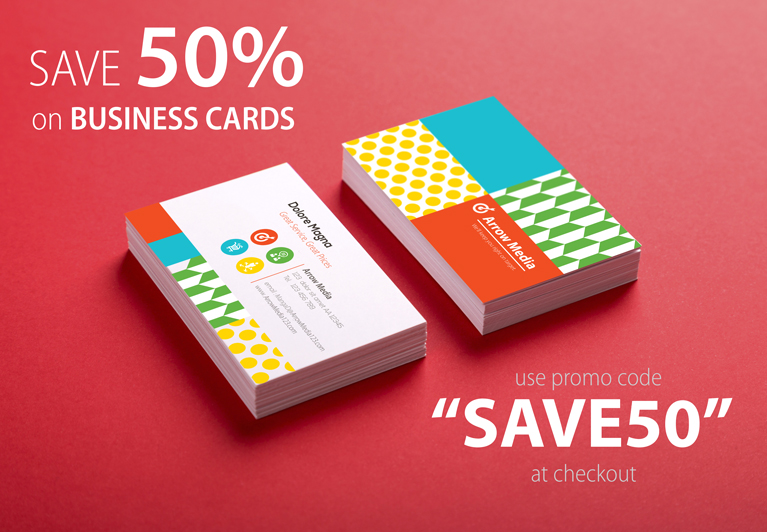
Have you ever shopped online and entered that cryptic code into the promo code box on the shopping cart screen? If so, then you know promo codes can be a great way to entice first-time shoppers to place their first order, or to reward repeat customers for their loyalty. On the flip side, a lot of printers would much rather have a bad rash then offer promo codes … why give up that precious margin? Which side of the promo code debate are you on? Big News for Fans of Promo Codes For those that are fans of promo codes, we have some great news for you! In the past, promo codes on a Websites For Printers website could be assigned to be used by companies, branches, or individuals, but not to product categories or individual products. So, if you were having a sale on, say, business cards, customers with the promo code may have been able to use that code even without any business cards in their shopping cart. We’re happy to announce that that has changed: promotional codes can now be designated to apply only to specific product categories, and even to specific products. With this update, if the customer
A Major Send a File Update
We have exciting news…but only if your customers send you files electronically. (That was a joke — of course your customers send you files electronically!) We’re making some major improvements to the Send a File process on our websites, and the enhanced Send a File tool is now available on our demo websites for you to kick the tires. Every single improvement we made was focused on the goal of making it easy for your customers to buy printing from you. Among the improvements are: Your customers can now access the Send a File tool from any page in your website, not just their account page. Files start loading immediately upon selection, while your customers continue to provide file information. This means the files get a head-start on the transfer; your customers will think they hit turbo-boost! The whole process has been streamlined, so your website visitors never have to say, “Just send the file already!” Attaching files to existing orders is now a simple point-and-click. Now your customers can “fire and forget” their files. Once they’ve selected their files and clicked “Send”, their work is done; the website will do the rest. We’ll turn it on for all Websites
Back By Popular Demand
Subscriber List Import Reinstated Previously, we announced the removal of the email-list import feature for the Printer@Work email newsletter, to ensure compliance with changes in Canadian law that required “explicit opt-in” for delivering content such as newsletters, and to promote email best-practices in general. Due to several requests to reinstate that tool, we have now added it back, with a warning: use at your own risk — it’s becoming increasingly risky to send messages to people who have not explicitly expressed an interest in receiving them. Legal considerations aside, sending unsolicited email can do serious harm to your reputation and credibility as a business. By contrast, sending a newsletter that provides value to customers who look forward to getting it can be one of the best tools available to you for building relationships and credibility. After all, that’s why we created the Printer@Work newsletter! To import your email list, choose My Website from the Control Center’s main menu, and then select Subscribers from the Printer@Work sidebar menu. Export Customer Lists From Level 2 and Level 3 Sites We’re also happy to announce that you can now export your customer lists from your Level 2 and Level 3 websites. This was
New Security Measures For Your Customer Accounts
Security has been a big topic in the past several months. As we continue to hear stories about security issues like the Heartbleed bug and the Target breach, security has been on everybody’s minds. So we thought now would be a great time to make an important change to how your websites handle your customer’s passwords. Starting July 1st, your customers will no longer receive plain-text passwords through their email when they indicate they’ve forgotten their password. Instead, we will be implementing the same password reset procedure that is used by many of the web’s top sites: users will receive a link to their email account which they can use to reset their password. You Are An Important Member Of Our Development Team! This update is an example of a change we made to the system based on input from our customers. You and your customers are an important part of our development team. You’re in the trenches, selling printing everyday, and using your WebsitesForPrinters.com website in the process. When something isn’t working as well as it should, you’re often the first to know. So keep those ideas coming, because you’re helping us build a better website — for you!
Shopping Carts Get Another Boost
Customized Shopping Cart Questions Added Have you ever needed more information from your customers for their order, but the questions just don’t seem appropriate for an order form? With our new custom shopping cart questions, you can request that information from your customers much more naturally through the shopping cart. Want to know how your customer heard about you? Use a custom shopping cart question. Need to collect special information for your corporate accounts? Use a custom shopping cart question. Want to conduct an informal customer service poll? Use a custom shopping cart question. To get started, go to your Control Center and look for Shopping Cart Questions in Accounts > Account Settings. Or if you need instructions, check our our Knowledgebase article, Custom Shopping Cart Questions. Note: You must have the new shopping cart activated to use this feature (My Website > E-Commerce Settings > Updated Shopping Cart).
Upcoming Anti-Spam Measures Lead To Big Changes
The Rule Of The Day: Explicit Opt-in The Canadians are implementing a strong anti-spam law beginning July 1, 2014. In preparation, we’ve made some adjustments to the way Printer@Work subscriptions are handled. Though it is a Canadian law, we’ve chosen to make these changes for all of our websites, because they represent best practices when it comes to building a subscriber list that won’t get your content flagged as spam. The changes we’re making have two goals in mind: Ensure that every subscriber to the Printer@Work wants to subscribe to Printer@Work Staunchly protect our customers from any allegations that say otherwise We are implementing the following changes as they are developed. Some you may already have noticed on your own site: Remove uploadable subscriber lists Remove pre-selection of the “I want to subscribe to Printer@Work” checkbox Allow printshops to unsubscribe users, but not subscribe them Remove requirement for user to confirm their email address when unsubscribing Moving On To Plan “B” We know these may not be popular changes, because they tend to make it more difficult for you to add subscribers to your newsletter. Meanwhile, your customers are still able to subscribe to it themselves as they always have.
Your Workflow Just Got A LOT Easier
This week, we made a subtle but important update to your Control Center’s Workflow section. Actually, two updates: Faster loading time Users with many thousands of orders in their history were noticing extremely long load times when first going to the Workflow screen. On investigating, we found that including the completed orders in the list was a major factor. Since the Workflow screen is largely for finding open orders that have work that needs to be done, we chose to remove completed orders from the initial load. Of course, you can still look at completed orders when you need to. To do that, just click “Completed Items” in the top of the Workflow page’s sidebar. Filter preference memory We also made a rather subtle change that we hope will also boost your Workflow productivity: the system now remembers your last filter settings. By loading the Workflow screen with the same filter settings you had applied last time, you now get to “pick up where you left off.” Note, this new update does not memorize custom searches using the Dates, Keywords or People tools, though. This is actually a convenience feature — since those searches usually represent special cases, and not
The MI4P Process
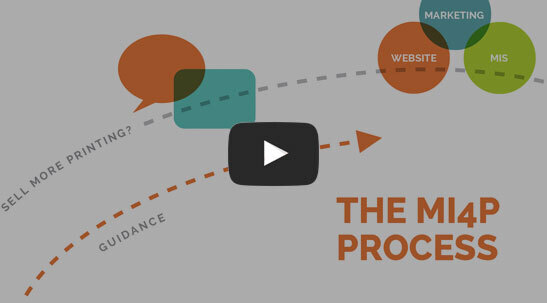
This two-minute video will show you how we take you through Our Proven Process. No surprises; no bumps in the road!
It's worked for hundreds of printers just like you; it will work for you, too! Download the MI4P Proven Process PDF below, and follow along.
PDF: The MI4P ProcessSay Hello
"*" indicates required fields
Who We Are
What We Do
Marketing Ideas For Printers
5990 14th Street South
Fargo, ND 58104
(701) 241-9204 (800) 736-0688
© 2026 Marketing Ideas For Printers
Our Privacy Policy | Terms of Service