No More Double-Entry!

We’ve heard over and over again about the challenges printers face when they receive an order online and then need to re-enter the same information into their print management information systems (Print MIS). Copy-paste makes the job easier, of course, but who wants to sit around copying and pasting all day when you could be spending that time working and selling more printing? Odyssey Changes Everything! “Odyssey” is the new Print MIS we’ll be revealing at Graph Expo, and Odyssey changes everything! Odyssey powers not only the Print MIS but also the order forms on your website. Any information your customers provide when they place an order on your website instantly and seamlessly becomes data in Odyssey. With Odyssey, your website is your MIS, and that means no more double entry! When your website and your Print MIS are two different systems, online print orders look like this: But when Odyssey eliminates double entry by keeping all of your data in the same system, the process flows smoothly, like a peaceful stream, like this: Six touchpoints are reduced to TWO! Not only is double entry eliminated, the whole workflow is streamlined, communication with your customer is more efficient, and you get more done
A Print MIS that Removes Barriers
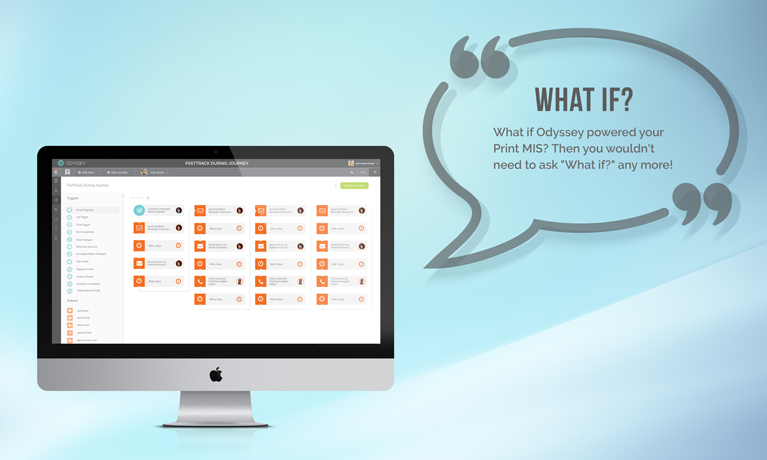
A print management information system (or Print MIS) helps printers manage their day-to-day production activities. Would you agree that a Print MIS should connect you with your print-buying customers from the time an order is placed until the time an order is completed? That’s common ground that we can all agree on pretty easily. Would you also agree that you should be communicating with your prospects and customers even when they aren’t ordering printing? Once again we can all come to a pretty quick agreement. Communication is, of course, important. It’s what leads to relationships. You can (and should) be building a relationship with your customers and prospects even before production begins, before they place their very first order! And after the job is complete, you can (and should) continue nurturing and growing those relationships with your customers to make sure they come back to place even more orders! Limits of a Traditional Print MIS What if your Print MIS not only managed your interactions with your customers during the production of their print jobs, but it also helped you communicate with your customers and prospects before and after the time they were buying printing? If your Print MIS removed the “before” barrier,
Mom Taught Us to Share

At some point in your life, we suspect that your mother (or someone else equally influential) taught you the value of sharing. Virtual sharing on the internet isn’t quite the same as the physical sharing our moms taught us, but it’s still important. The importance of sharing is what brings us to today’s big update: sharing the high-quality content on your website from Marketing Ideas For Printers is now a much bigger deal, thanks to a recent website update! Here’s what we mean. Take a look at these pages on a Marketing Ideas For Printers’ website: The Ideas Collection Greatest Treasures Sales and Marketing White Papers These are high-value areas on each website that receive new content from Marketing Ideas For Printers on an ongoing basis, so you’ll want to make sure this content gets shared! Here are two ways to make your mom proud and make sure everything gets shared: 1) You do the Sharing Every time new content shows up in these areas, you’ll want to share the new content through your social media channels. The new sharing icons on those pages make it super-easy to share the content with your social media friends, followers, and connections. Go to your website and give it a
The Quest for a New Breed of Print MIS
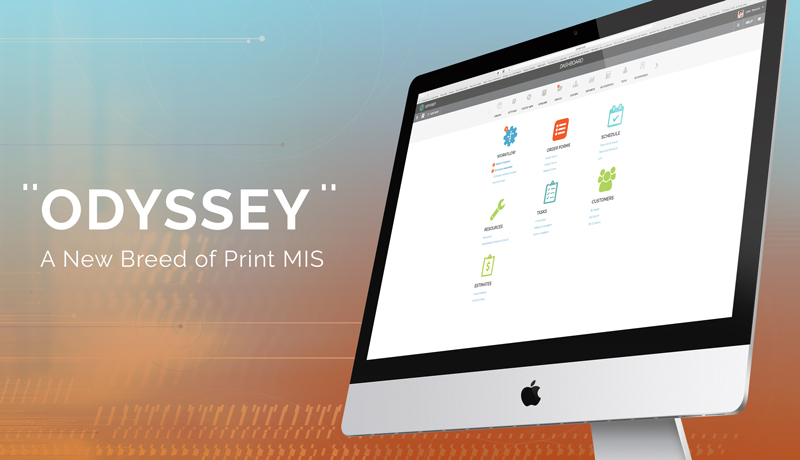
One of our core values at Marketing Ideas For Printers is Positive Attitude. A slightly longer version of that core value reads like this: Positive Attitude: We find the best in every experience. It’s easy to “find the best” in good experiences, but we desire to find the best in every experience, including the not-so-good experiences. We had one of those not-so-good experiences happen a little over a year ago when a customer left us. Finding The Best Gut check. What just happened? Why did they leave us? Their answer: they were frustrated that their website wasn’t communicating with the technology they used to manage production. They wanted a website that communicated with their Print Management Information System (Print MIS). They wanted the efficiencies that would result when a website and a Print MIS can have a two-way digital conversation with each other. What they wanted wasn’t happening. That was the moment we said, “We can never be in that position again. A lack of integration with a Print MIS can never again be the reason we lose a customer.” Print MIS Integrations How do we “never be in that position again” and get our websites and Print MIS talking with each other? We could pursue integrations with existing Print MIS systems, but we’ve been
Printer@Work: Celebrating Issue 300
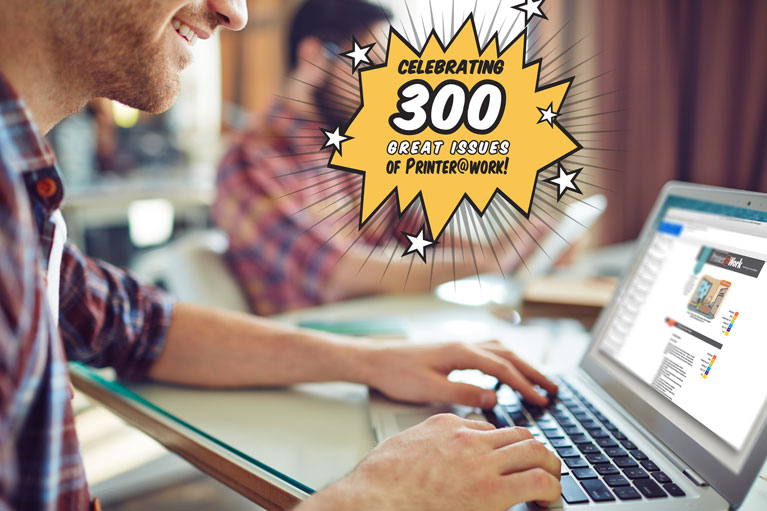
You will soon witness a landmark number: the 300th issue of the Printer@Work email newsletter! (Printer@Work is an email newsletter available to all Websites For Printers website clients.) Wow! 300 issues! Let’s make that number more real. Newsletter content is provided for delivery on the first and third Tuesday of each month. 300 issues ÷ 2 issues per month = 150 months, or 12-1/2 years. That’s a pretty good run! Each issue contains a unique original cartoon called T.G.I.Monday. Those cartoons start as a pencil sketch, which is then colorized by our design team. Each colorization takes, on average, 45 minutes. 300 issues x 45 minutes = 13,500 minutes (or 225 hours, or 9.375 days) dedicated to bringing the line art drawing to life with color. We always provide the default content, but our customers are encouraged to customize that content. The 300 issues of Printer@Work have been converted to custom newsletters 6,080 times. How many people receive Printer@Work? A lot. 146,111 at the time of this writing, to be exact. And it takes a while to send the newsletter to that many subscribers! When we hit the “send” button on behalf of our subscribers, Printer@Work takes about 6.5 hours to get all 146,111 issues delivered from start to finish. In case you’re
Help Your Customers Rebrand

You become even more valuable to your customers when they begin to see you as more than “just” a printer. Your knowledge doesn’t end at putting ink on paper; it continues way beyond that. For instance, you’re also an expert when it comes to helping your customers with their rebranding! How do we know? Because we just added a new white paper to your website (if you’re using a site from Marketing Ideas For Printers, that is!) Here’s one brief quote from the white paper: You may have been thinking about rebranding for a while now, wondering if it’s the right time, if it’s a sound investment, and perhaps, just how long it will take. With a great plan, great partners to help you, and enough brainstorming, rebranding really can be a painless process and a worthy investment. Read the complete white paper here, on one of our public demo websites. Just think of all of those new print orders that will follow when your customers see you as the expert they can turn to when they’re ready to rebrand!
Victimized by Poor Communication
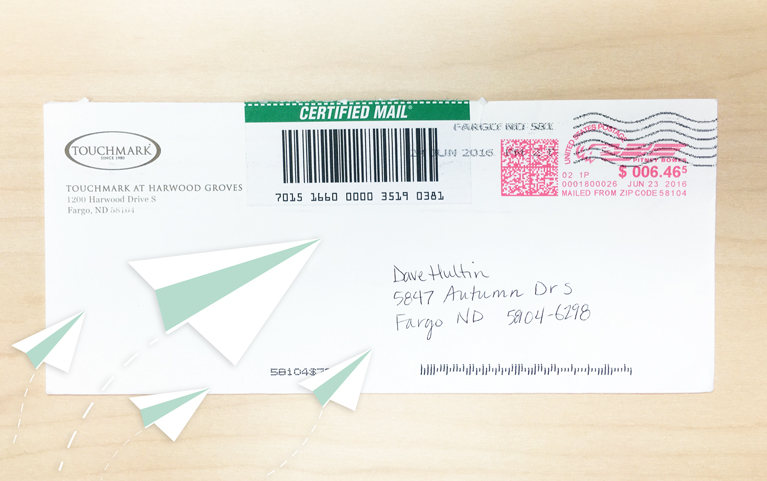
Raise your hand if you’ve ever been the victim of poor communication. I’m pretty sure I just saw every hand go up. It happened to me last month when I was helping my elderly mother with some loose ends on a recent transition from a senior living community to a skilled, long-term care facility. Here’s the play-by-play: Imagine drawing a line representing “acceptable” when evaluating care facilities. Touchmark, the senior living community my mother recently left, is way above that line on the care they give. On a scale of 1 to 100, I’d rank them at 99. Even with a stellar score like that, like all of us, there’s still room for improvement if you look hard enough. Here’s what I found when I pulled out my “improvement” microscope. My mother’s departure meant her initial deposit needed to be refunded by Touchmark. That deposit was returned to me by certified mail. While certified mail sounds like a good, reliable option, Touchmark could have given me the opportunity to come pick up the deposit at their facility. When Mom lived in Touchmark, I went there often. At the very least, taking a moment to notice the address that the deposit
Now That’s Big!

Here’s a question that pops up every so often when a printer is checking out Websites For Printers: How big are the files customers can send using the Send a File tool? It’s become way too easy to take file transfers for granted. After all, it’s just like flipping a light switch: flip the switch, electricity flows, and the light turns on. It just works. Today, we’re going to elevate the Send a File tool beyond the “taken for granted” status. Today, we’ll give credit to the silent work done by the file transfer system and answer the “How big?” question. Drum roll: It’s not unusual to see file transfers well over 1.5 GB get from print buyer to printer without even a sneeze. Consider that a typical CMYK Photoshop file with a size of 4 x 6 inches at 300 pixels per inch is 8.24 MB. You could send over 180 digital photos like that in a file transfer of 1.5 GB. That’s a lot of data! For all practical purposes, there really aren’t any size limits, and that’s important in these days of mega-sized files. As a printer, you can take comfort in knowing that your customers’ files will
Marketing to Millennials: A New White Paper

The 76.7 million workers in the millennial age group have a buying power worth $1.3 trillion. They’re the largest group in the workforce today with yesterday’s boomers passing the torch to today’s millennials. Here’s some great news about millennials: They respond favorably to paper and print marketing! How do you reach this group? When your website is powered by the content provided by Websites For Printers, you can help your print-buying customers send the right message to this influential population by providing them with the newest white paper, Marketing to Millennials. This white paper contains facts and statistics that highlight the millennial’s buying power, a mini-case study featuring the millennial messaging used by TOMS shoes, and information about how millennials view both digital and print communications. See for yourself! Here’s the Marketing to Millennials white paper as it appears on a Websites For Printers demo website.
Server Upgraded, Rocket Fuel Added

We recently completed a server infrastructure upgrade to increase the performance of your website. Wow, that was boring. Let’s try again. Everyone Wins! Everyone wins when a website is faster! We just added some rocket fuel to the servers that host the websites for Websites For Printers. With this added rocket fuel, you’ll see that: Everything your customers do on your website will be faster. Using order forms will be faster, viewing order history will be faster, and just viewing your website, in general, will be faster. Your customers win! All the back-end management you do to use and maintain your website will be faster, too. You win! Google and other search engines look favorably on websites that load faster. You win again! All this newfound speed makes you happy. If you’re happy, then we’re happy. We win, too! The rest of the details get geeky fast, so just carry on with your day with the assurance that we’re taking care of your web technology needs so that you don’t have to. But You Need to Know About the Hiccup Breaking News from our tech department: “Houston, we have a problem.” There was a hiccup during the server upgrade on April
The MI4P Process
This two-minute video will show you how we take you through Our Proven Process. No surprises; no bumps in the road!
It's worked for hundreds of printers just like you; it will work for you, too! Download the MI4P Proven Process PDF below, and follow along.
PDF: The MI4P ProcessSay Hello
"*" indicates required fields
Who We Are
What We Do
Marketing Ideas For Printers
5990 14th Street South
Fargo, ND 58104
(701) 241-9204 (800) 736-0688
© 2026 Marketing Ideas For Printers
Our Privacy Policy | Terms of Service